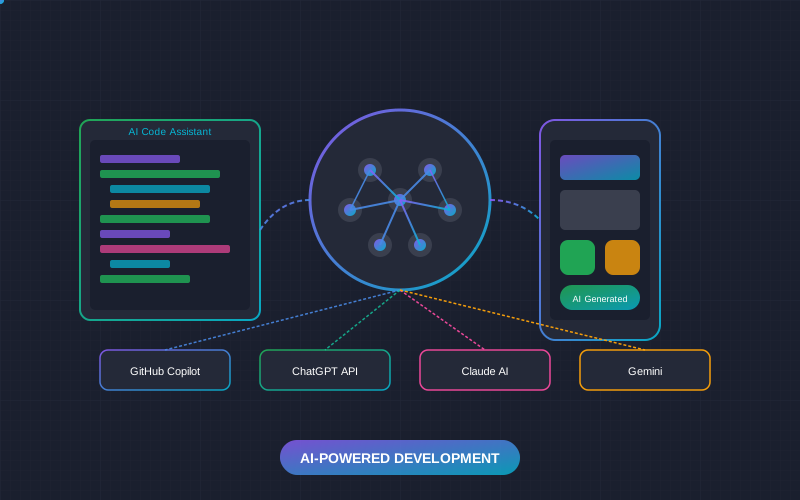
Artificial intelligence is no longer a future technology - it's today's reality that is fundamentally changing the software development process. In 2026, AI tools have become an integral part of every professional developer's workflow. GitHub Copilot, ChatGPT, Claude AI, and other tools not only speed up coding but also open new possibilities for creating better, smarter applications. In this article, we'll comprehensively review how AI is transforming mobile app development and how you can leverage it for your projects.
The AI Revolution in Programming: 2026 Statistics
According to GitHub's 2025/2026 report, developers using AI tools complete tasks on average 55% faster and report higher job satisfaction. It's not just about speed - AI helps reduce bugs, improve code quality, and focus on more creative problem-solving.
Key AI Tools for Mobile App Development
1. GitHub Copilot - The Code Generation Leader
GitHub Copilot
Best for: daily coding, function generation, boilerplate code
GitHub Copilot, created through a GitHub and OpenAI partnership, is the world's most popular AI code assistant with over 1.8 million paid users.
Price: $10/month (Individual), $19/month (Business), $39/month (Enterprise)
Copilot Capabilities:
- Inline suggestions - real-time code completion suggestions
- Chat function - ask about code and get explanations
- Multi-file context - understands entire project context
- Test generation - automatically creates unit tests
- Documentation writing - generates docstrings and comments
Practical Example: Flutter Widget Generation
Write a comment describing what you want to create, and Copilot will generate the code:
// Create a custom button widget with gradient background,

// rounded corners, and loading state

class GradientButton extends StatefulWidget {

  final String text;

  final VoidCallback onPressed;

  final bool isLoading;

  // ... Copilot generates the rest

}
2. Claude AI - For Complex Tasks and Architecture
Claude AI (Anthropic)
Best for: architectural decisions, complex problem analysis, long contexts
Claude AI stands out for its ability to work with very long contexts (up to 200K tokens) and consistent, logical reasoning. Ideal for architectural questions and complex refactoring tasks.
Price: Free (limited), $20/month (Pro), $25/month (Team)
Claude Advantages for Developers:
- Long context - upload entire project structures
- Consistent reasoning - explains complex concepts well
- Fewer hallucinations - less likely to "invent" non-existent functions
- Code review - excellent at finding potential bugs and security vulnerabilities
3. ChatGPT - Universal Assistant
ChatGPT (OpenAI)
Best for: general questions, learning, various tasks
ChatGPT is the most well-known AI assistant with the largest user base. GPT-4o and GPT-4 Turbo models are excellent for programming tasks.
Price: Free (GPT-3.5), $20/month (Plus), $25/month (Team)
4. Google Gemini - Google Ecosystem Integration
Google Gemini
Best for: Android development, Firebase integration, Google Cloud
Gemini (formerly Bard) is Google's AI model, well integrated with the Google ecosystem. Especially useful for Android and Firebase projects.
Price: Free (basic), $20/month (Advanced)
AI Tools Comparison
| Tool | Strength | Price/month | Best For |
|---|---|---|---|
| GitHub Copilot | Real-time code generation | $10-39 | Daily coding |
| Claude AI | Long context, architecture | $0-25 | Complex tasks |
| ChatGPT | Versatility, plugins | $0-25 | General questions |
| Gemini | Google integration | $0-20 | Android/Firebase |
| Amazon CodeWhisperer | AWS integration | $0-19 | AWS projects |
| Tabnine | Privacy, on-premise | $0-39 | Enterprise security |
Practical AI Use Cases
1. Code Generation and Completion
The most common AI use - automatic code generation. AI can:
- Generate functions based on comment descriptions
- Complete started code
- Suggest code patterns
- Create boilerplate code (models, repositories, controllers)
2. Code Review and Bug Finding
AI excels at finding potential bugs and suggesting fixes:
// Before: Potential issue

void fetchData() async {

  final response = await http.get(url);

  setState(() { data = json.decode(response.body); });

}


// After AI review: With error handling

void fetchData() async {

  try {

    final response = await http.get(url);

    if (response.statusCode == 200) {

      if (mounted) {

        setState(() { data = json.decode(response.body); });

      }

    }

  } catch (e) { handleError(e); }

}
3. Test Generation
AI can automatically generate unit tests for your functions, including edge cases.
4. Documentation Writing
AI generates documentation, comments, and README files based on existing code.
5. Refactoring
AI can suggest how to improve code structure, optimize performance, and make code more readable.
Building AI-Integrated Applications
Beyond using AI in the development process itself, AI is increasingly being integrated into apps themselves:
Popular AI APIs for Mobile Apps:
| API | Use Case | Price |
|---|---|---|
| OpenAI API | Chatbots, text generation, analysis | From $0.002/1K tokens |
| Google ML Kit | On-device ML (face recognition, text) | Free |
| Apple Core ML | iOS on-device ML | Free |
| Hugging Face | Open source models | Free/Premium |
| Claude API | Complex text processing | From $0.008/1K tokens |
Popular AI Features in Apps
- Chatbots and virtual assistants - 24/7 customer service
- Image recognition - product search, document scanning
- Personalization - content recommendations, user behavior analysis
- Speech recognition - voice commands, transcription
- Text analysis - sentiment analysis, translation, summarization
Security and Ethics Considerations
Important: AI Usage Risks
- Don't send confidential data - API keys, passwords, customer data
- Always review code - AI can generate vulnerable or incorrect code
- Intellectual property - be careful with licensed code
- Hallucinations - AI sometimes "invents" non-existent functions or libraries
Best Practices:
- Code review - always review AI-generated code
- Testing - write tests for AI code too
- Enterprise versions - use versions with data protection
- Learning - understand what AI generated, don't blindly copy
The Future of AI in Mobile App Development
2026-2027 trends:
1. AI-First Development
The developer's role is shifting from "code writing" to "AI coordination and quality assurance".
2. No-Code/Low-Code with AI
Platforms like Bubble, FlutterFlow, and Adalo are integrating AI, allowing non-programmers to build complex applications.
3. On-Device AI
More AI will run directly on devices (Core ML, ML Kit), ensuring privacy and fast performance.
4. AI Agents
Autonomous AI agents capable of performing complex, multi-step tasks on behalf of developers.
Frequently Asked Questions (FAQ)
Conclusions
AI tools in 2026 are not a choice but a necessity for every professional developer. However, it's important to understand that AI is a tool, not a replacement - it increases productivity and quality, but architectural decisions, critical thinking, and creativity still belong to humans.
Our recommendations:
- Start with GitHub Copilot - best tool for daily work
- Use Claude AI for complex tasks - architecture, refactoring, code review
- Integrate AI into your workflow - but don't forget critical thinking
- Keep learning - AI tools evolve very quickly
Want to Integrate AI into Your App?
Contact us for a free consultation. We'll help you choose the right AI solutions and integrate them into your mobile application.
Get Free Consultation