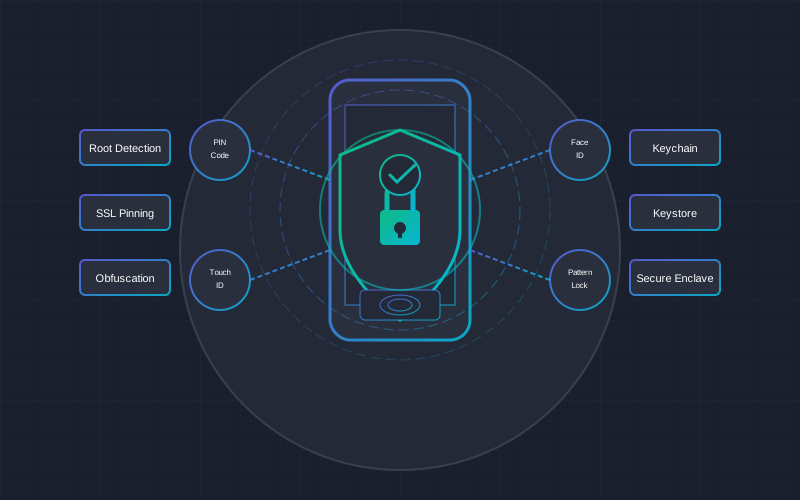
Mobile app security in 2025 has become a critically important business aspect. The number of cyberattacks is growing exponentially, and mobile devices store increasingly sensitive data - from banking information to health records. In this comprehensive guide, we'll discuss OWASP Mobile Top 10 risks, the most effective protection strategies, and practical recommendations for businesses.
Mobile App Security Statistics 2025
Important to Know
According to IBM 2024-2025 research, the average time to detect a data breach is 197 days, and the average time to contain it is another 69 days. During this period, hackers can cause enormous damage.
OWASP Mobile Top 10 (2024-2025)
OWASP (Open Web Application Security Project) is an international non-profit organization that develops and publishes the most important mobile application security standards. The 2024-2025 Mobile Top 10 list includes these critical risks:
M1: Improper Credential Usage
Hardcoded passwords, API keys, or cryptographic keys in the application code. Hackers can easily extract this data through reverse engineering.
M2: Insecure Data Storage
Sensitive data stored in unencrypted form in device memory, databases, or shared preferences (SharedPreferences, UserDefaults).
M3: Insecure Authentication/Authorization
Weak password policy, lack of multi-factor authentication, improper session management, or incorrect access control.
M4: Insufficient Input/Output Validation
SQL injections, XSS attacks, and other vulnerabilities arising from improper user input validation.
M5: Insecure Communication
Data transmission over unencrypted channels (HTTP instead of HTTPS), improper SSL/TLS certificate validation.
M6: Inadequate Privacy Controls
Excessive personal data collection, lack of consent mechanisms, non-compliance with GDPR requirements.
M7: Insufficient Binary Protections
Lack of code obfuscation, tamper detection, and anti-debugging protection, allowing easy application analysis.
M8: Security Misconfiguration
Improperly configured security settings, debug modes left in production versions, overly broad file access permissions.
M9: Insecure Data Storage
Insecurely stored backups, logs with sensitive information, temporary files with confidential data.
M10: Insufficient Cryptography
Weak encryption algorithms, improper key management, outdated cryptographic libraries.
Authentication and Authorization Strategies
Multi-Factor Authentication (MFA)
MFA is essential for secure mobile applications. Recommended authentication factors:
| Factor | Type | Security Level | User Experience |
|---|---|---|---|
| Password | Knowledge | Medium | Standard |
| SMS Code | Possession | Medium | Good |
| TOTP (Authenticator) | Possession | High | Good |
| Fingerprint | Biometrics | High | Excellent |
| Face ID | Biometrics | High | Excellent |
| Hardware Key (FIDO2) | Possession | Very High | Medium |
OAuth 2.0 and PKCE
For mobile applications, it's recommended to use OAuth 2.0 with PKCE (Proof Key for Code Exchange) extension:
- Authorization Code Flow + PKCE - the most secure method for mobile apps
- Short access tokens - 15-60 minute expiration time
- Refresh tokens - secure token refresh without re-login
- Token rotation - new refresh token with each renewal
Best Practice: Token Storage
- iOS: Use Keychain Services with kSecAttrAccessibleWhenUnlockedThisDeviceOnly
- Android: Use EncryptedSharedPreferences or Android Keystore
- Never store tokens in plain SharedPreferences or UserDefaults
Data Encryption
Encryption at Rest
All sensitive data on the device must be encrypted:
| Algorithm | Usage | Key Length | Recommendation |
|---|---|---|---|
| AES-256-GCM | Data encryption | 256 bit | Recommended |
| ChaCha20-Poly1305 | Mobile devices | 256 bit | Recommended |
| RSA-2048+ | Key exchange | 2048+ bit | Suitable |
| PBKDF2/Argon2 | Password hashing | - | Recommended |
Encryption in Transit
- TLS 1.3 - the latest and most secure transport protocol
- Certificate Pinning - protection against MITM attacks
- HSTS - mandatory HTTPS usage
- Perfect Forward Secrecy - each session with a unique key
SSL/TLS Security Checklist
- Using TLS 1.2 or 1.3 (not older)
- Disabled insecure cipher suites (RC4, DES, 3DES)
- Certificate pinning implemented
- Certificate hostname validation
- No self-signed certificates in production
- Certificate expiration checking
GDPR Compliance in Mobile Applications
For businesses in the European Union, GDPR compliance is mandatory. Mobile applications must meet these requirements:
Key GDPR Requirements
| Requirement | Description | Implementation |
|---|---|---|
| Consent | Clear and voluntary consent for data collection | Opt-in checkboxes, granular consent management |
| Data Minimization | Collect only necessary data | Review each data field being collected |
| Right to Access | User can obtain a copy of their data | Data export function in JSON/PDF format |
| Right to be Forgotten | User can request data deletion | Account and data deletion function |
| Data Portability | Transfer data to another service provider | Standardized export format |
| Breach Notification | Notify within 72 hours of a breach | Incident management procedures |
GDPR Fines
GDPR violation fines can reach up to 20 million EUR or 4% of annual global turnover (whichever is higher). In 2024, fines imposed across Europe exceeded hundreds of millions of euros.
Privacy Settings in the Application
- Privacy dashboard - centralized place for all privacy settings
- Granular consent - separate consent for each data type
- Consent withdrawal - easy way to withdraw consent at any time
- Data review - ability to see what data is stored
- Export and deletion - clear buttons for these functions
Security Testing
Testing Methods
| Method | Description | Cost Range | Recommended Frequency |
|---|---|---|---|
| SAST | Static code analysis | $200-500 | With every release |
| DAST | Dynamic application analysis | $300-800 | Monthly |
| Penetration Test | Manual security audit | $1,500-5,000 | Quarterly/Semi-annually |
| Code Review | Security expert code analysis | $1,000-3,000 | Before major updates |
| Bug Bounty | Reward for found vulnerabilities | Variable | Ongoing program |
Automated Tools
- MobSF - Mobile Security Framework (free)
- OWASP ZAP - automated security scanning
- Burp Suite - professional security testing tool
- Frida - dynamic instrumentation and analysis
- objection - runtime mobile application analysis
Protection Against Reverse Engineering
Code Obfuscation
Obfuscation makes application analysis and reverse engineering more difficult:
- Android: ProGuard (basic), R8 (recommended), DexGuard (professional)
- iOS: SwiftShield, iXGuard, Arxan
- Cross-platform: jscrambler (React Native, Flutter)
Runtime Protection
Runtime Security Checklist
- Root/Jailbreak detection
- Debugger detection
- Emulator detection
- Tamper detection (code modification detection)
- SSL Certificate Pinning
- Anti-hooking protection
- Integrity checks (application integrity verification)
Security Costs
| Service | Basic Price | Average Price | Enterprise |
|---|---|---|---|
| Security Audit | $500 | $1,500-3,000 | $5,000+ |
| Penetration Test | $1,000 | $2,500-4,000 | $8,000+ |
| GDPR Compliance Audit | $800 | $2,000-3,500 | $6,000+ |
| Security Consultation (hourly) | $50 | $80-120 | $150+ |
| Security Feature Implementation | $1,000 | $3,000-8,000 | $15,000+ |
Practical Recommendations
Development Phase
- Threat modeling - identify potential threats before starting to code
- Secure coding - use OWASP secure coding guidelines
- Dependency checking - regularly check library vulnerabilities
- Code reviews - include security aspect in code review process
- CI/CD security - integrate SAST tools into build pipeline
Production Phase
- Monitoring - observe anomalous user behavior patterns
- Incident management - have a clear plan for security incidents
- Regular updates - respond quickly to new vulnerabilities
- Backup strategy - regular backups with testing
- Security training - regularly train the team about new threats
Frequently Asked Questions (FAQ)
Conclusions
Mobile app security in 2025 is not a luxury, but a necessity. The growing number of cyberattacks, stricter GDPR requirements, and increasing user expectations are forcing businesses to invest in security from the very beginning of application development.
Key recommendations for businesses:
- Integrate security from the start - "Security by Design" principle
- Use OWASP Mobile Top 10 as a checklist
- Invest in regular testing - at least quarterly
- Ensure GDPR compliance - it's not just about fines, but reputation
- Train your team - security starts with people
Security is not a one-time project - it's an ongoing process. Start with a security audit and gradually improve your application's protection.
Need a Professional Security Audit?
Contact us for a free consultation - we'll assess your application's security status and offer the optimal solution.
Get Free Consultation