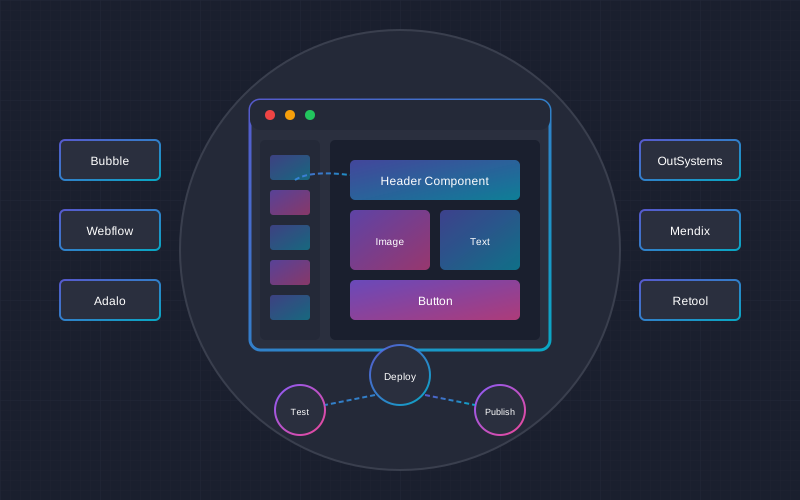
Low-Code and No-Code platforms are revolutionizing the software development world. In 2025, Gartner predicts that 70% of new applications will be built using Low-Code or No-Code technologies. But can you really create a professional, fully functional application without programming? In this article, we'll explore when these platforms are suitable, what their limitations are, and how to choose the best solution for your business.
What Are Low-Code and No-Code?
Before diving into platform comparisons, it's important to understand the fundamental differences between these two approaches.
No-Code Platforms
No-Code platforms allow you to create applications completely without programming. Users build using:
- Drag-and-drop interface - drag and drop components
- Visual workflows - logic is created through diagrams
- Ready-made templates - quick start with pre-built designs
- Integrations - connect with popular services in one click
Low-Code Platforms
Low-Code platforms also use visual tools but allow you to add custom code for more complex functions:
- Visual development - 80% of the work is done without code
- Code extensions - ability to write JavaScript, Python, or other code
- API creation - complex integrations with external systems
- Greater control - flexibility for exceptional cases
When Should You Choose Low-Code/No-Code?
Ideal Scenarios
- MVP development - quickly validate a business idea with minimal budget
- Internal business applications - CRM, project management, inventory
- Startups - limited budget and need to reach market quickly
- Prototypes - visualize an idea before investing in full development
- E-commerce - online stores and order management
- Automation - workflow optimization
When Traditional Programming Is Better
- Very large user base - millions of active users
- Complex algorithms - machine learning, real-time data processing
- Specific security requirements - banking, healthcare
- Unique functionality - nothing similar on the market
- Full control - code ownership and independence
Most Popular Platforms: Comprehensive Comparison
1. Bubble - Leader for Web Applications
Bubble
Bubble is the most powerful No-Code platform for web applications. It allows you to create complex systems with databases, user authentication, and payment integration.
Pros
- Very flexible and powerful
- Large community and resources
- Integration with almost anything
- Full database management
Cons
- Steeper learning curve
- Can be slow for large applications
- No native mobile app
- Vendor lock-in (no code export)
2. FlutterFlow - Native Mobile Applications
FlutterFlow
FlutterFlow uses Google's Flutter framework and generates real code. This means professional appearance, excellent performance, and the ability to export code.
Pros
- Native performance on iOS and Android
- Code export (full ownership)
- Professional UI/UX
- Firebase integration
Cons
- Requires basic Flutter knowledge for complex projects
- Smaller community than Bubble
- More expensive business plans
3. Adalo - For Beginners
Adalo
Adalo is one of the simplest platforms for creating mobile applications. Ideal for beginners and simple projects.
Pros
- Very easy to learn
- Beautiful user interface
- Native app publishing
- Good documentation
Cons
- Limited functionality for complex projects
- Slower performance
- No code export
- Fewer integrations
4. AppGyver (SAP Build Apps) - Enterprise Solution
AppGyver / SAP Build Apps
The AppGyver platform acquired by SAP offers enterprise-level functionality with a free plan. Perfect for large organizations.
Pros
- Powerful free plan
- Enterprise-level features
- SAP integration
- Complex logic support
Cons
- Complex interface
- Smaller community
- Slow support
Platform Comparison Table
| Feature | Bubble | FlutterFlow | Adalo | AppGyver |
|---|---|---|---|---|
| Web applications | Excellent | Good | Limited | Good |
| Native mobile apps | No | Excellent | Good | Good |
| Code export | No | Yes | No | No |
| Learning curve | Medium | Medium | Easy | Difficult |
| Free plan | Limited | Limited | Limited | Generous |
| Performance | Medium | Excellent | Low-Medium | Good |
| API integration | Excellent | Good | Basic | Excellent |
| Community | Large | Growing | Medium | Small |
Pricing: How Much Does App Development Cost?
Low-Code/No-Code application development costs depend on project complexity and chosen platform.
Platform Subscription Prices
| Platform | Free | Personal | Professional | Business |
|---|---|---|---|---|
| Bubble | $0 | $29/month | $129/month | $349/month |
| FlutterFlow | $0 | $30/month | $70/month | Custom |
| Adalo | $0 | $45/month | $65/month | $200/month |
| AppGyver | $0 (full) | - | - | SAP license |
Development Service Prices
| Project Type | Price | Time | Description |
|---|---|---|---|
| MVP / Prototype | $300 - $1,000 | 1-2 weeks | Basic functionality to validate an idea |
| Simple application | $1,000 - $3,000 | 2-4 weeks | CRUD operations, authentication, basic logic |
| Medium application | $3,000 - $8,000 | 1-2 months | Payments, integrations, complex logic |
| Complex application | $8,000 - $20,000 | 2-4 months | Many integrations, complex business logic |
Comparison with Traditional Programming
Traditional app development costs:
- Simple application: $5,000 - $15,000 (instead of $1,000 - $3,000)
- Medium application: $15,000 - $50,000 (instead of $3,000 - $8,000)
- Complex application: $50,000 - $150,000+ (instead of $8,000 - $20,000)
Conclusion: Low-Code/No-Code allows saving 60-80% on development costs.
Low-Code/No-Code Limitations: What You Need to Know
1. Vendor Lock-in
Most platforms (except FlutterFlow) don't allow code export. This means:
- Your application "lives" only on that platform
- If the platform changes prices or shuts down - you lose everything
- Migration to another solution requires rebuilding from scratch
2. Performance Limits
No-Code applications are typically slower than optimized code:
- Bubble applications can be slow with large data volumes
- Adalo applications sometimes "freeze" on complex screens
- Large user numbers can cause problems
3. Functionality Limits
Some things still require traditional programming:
- Complex algorithms and calculations
- Real-time functionality (chat, live streaming)
- Specific hardware integration
- Very specific UI/UX solutions
4. Security Concerns
Although platforms are secure, for some projects it's not enough:
- Limited control over data encryption
- Servers may be outside the EU (GDPR)
- Audit and compliance requirements can be difficult
The "Citizen Developer" Concept
Citizen Developer - an employee without formal IT education who can create business applications using Low-Code/No-Code tools.
Benefits for Business
- Faster problem solving - no need to wait for the IT department
- Lower costs - no need to hire programmers
- Better business understanding - built by those who know the problem
- IT team relief - can focus on strategic projects
How to Get Started?
- Choose a platform - start with Adalo or Bubble
- Learn the basics - 20-40 hours is enough for basic projects
- Start with a small project - automation or internal tool
- Establish governance - IT must oversee security aspects
Practical Examples: What Can You Build
Successful No-Code Projects
- Comet - freelancer marketplace, built with Bubble, valued at $50M+
- Teal - career management platform, started with No-Code
- Dividend Finance - financial services platform
- Qoins - debt management app, built with Adalo
Suitable Ideas for Any Market
- Order management system - for small cafes and restaurants
- Customer CRM - for small and medium businesses
- Inventory application - for warehouse management
- Learning platform - for online courses
- Event registration system - for conferences
- Health tracking app - for clinics and gyms
Frequently Asked Questions (FAQ)
Conclusions and Recommendations
Low-Code and No-Code platforms are an excellent choice for many projects, especially:
- MVPs and prototypes - quickly validate your idea
- Internal applications - save IT resources
- Startups - get to market faster
- SMB business - professional solutions with a small budget
However, it's important to understand the limitations and choose a platform based on specific needs. If you're planning a long-term project - consider FlutterFlow for its code export capability.
Our Recommendation
- For web applications: Bubble - flexible and powerful
- For mobile applications: FlutterFlow - native performance + code export
- For beginners: Adalo - easy to learn
- For enterprise: AppGyver - free and powerful
Want to Build an App with Low-Code/No-Code?
We'll help you choose the right platform and create a professional solution. Free consultation - let's discuss your project possibilities.
Get a free consultation